The most reliable way to verify an email address without sending a message is to use an email verifier that combines syntax, domain, mail-routing, provider, and available mailbox signals. Manual syntax or MX checks can identify obvious problems, but neither proves that a specific mailbox exists. When mailbox ownership must be confirmed, the recipient must complete a verification link or code.
That distinction matters. An address can look correct but lead to a nonexistent mailbox. A receiving server can accept a proposed recipient without confirming who owns it. A public profile can connect an address to a name without showing whether the inbox still works.
This guide walks through five verification methods, the evidence each one provides, and the limits you should understand before deciding to send.
What does it mean to verify an email address?
Verifying an email address means collecting enough evidence to make a practical decision about it. Depending on the use case, you may be asking one of three different questions:
1. Is the address structurally plausible?
2. Is there evidence that its domain and mailbox can receive mail?
3. Has a person proved that they control the inbox?
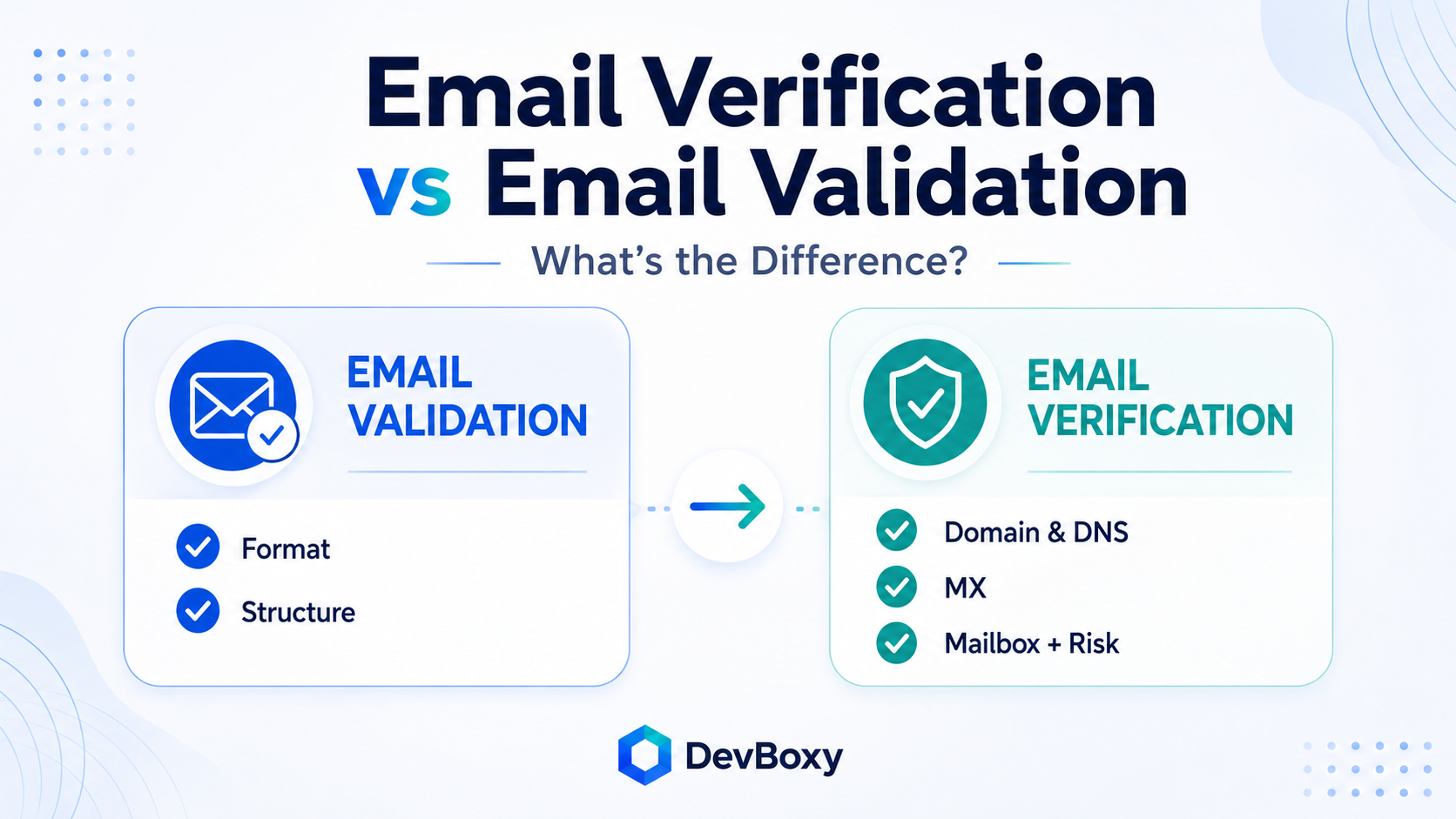
Those are not interchangeable. Syntax validation answers the first question. A full email verifier evaluates the second. A confirmation link or one-time code is needed for the third.
For the complete technical process behind these checks, read What Is Email Verification and How Does It Work?.
Five ways to verify an email address
Choose a method based on what you need to prove—not on which one looks most technical.
Method | Best for | Evidence level | Main limitation |
Email verification tool | Most single-address checks | Strongest practical assessment | Still a point-in-time result |
Syntax and typo check | Catching obvious input errors | Structural evidence only | Cannot confirm a mailbox |
Domain and mail-routing check | Screening the destination domain | Domain-level evidence | Cannot confirm the recipient |
SMTP recipient probe | Technical investigation | Mail-server evidence when available | Provider policy and catch-all behavior create uncertainty |
Confirmation link or code | Proving mailbox control | Direct ownership evidence at that moment | Requires sending and recipient action |
1. Use an email verification tool
For most people, this is the best place to start. A responsible verifier combines several checks instead of treating one DNS record or server response as the final answer.
To verify one address with DevBoxy:
1. Open the free email verifier.
2. Enter the address exactly as you received it.
3. Run the verification.
4. Review the primary result and the available evidence.
5. Follow the recommended action: Send, Review, or Skip.
DevBoxy checks the address structure, domain and DNS signals, mail-routing records, disposable-provider signals, available mailbox responses, catch-all behavior, and related risk indicators. It then separates the result into an operational decision:
DevBoxy action | Results | What to do |
Send | Valid | Eligible to send if the contact also meets your targeting and outreach policy |
Review | Risky, Catch-all, Unknown | Inspect the reason; retry or apply a cautious policy |
Skip | Invalid, Disposable | Exclude from normal campaigns |
The reason matters as much as the label. An Unknown result caused by a temporary provider response should not be treated like a permanently invalid address. A Catch-all result should not be promoted into the Valid bucket simply because the domain accepted a recipient check.
If you have hundreds or thousands of contacts, do not repeat single checks manually. Use a bulk email verifier and preserve the status, reason, and verification time for every row.
2. Check the syntax and common typing errors
A visual or programmatic syntax check is fast and useful. It can reject an address that never had a realistic chance of working.
Look for problems such as:
• Missing or repeated @ symbols
• Accidental spaces
• An empty local part or domain
• Consecutive dots where the syntax does not permit them
• A domain label that begins or ends with a hyphen
• An obvious provider typo such as gmal.com instead of gmail.com
Address | Initial assessment | Reason |
Structurally plausible | Contains a local part, separator, and domain | |
Invalid | Missing the @ separator | |
maria@@example.com | Invalid | Contains more than one separator |
maria@ | Invalid | Missing the destination domain |
Normalize carefully | Leading and trailing spaces may be input errors |
Email-address syntax is more flexible than many simple examples suggest. RFC 5322 defines the Internet message format, while RFC 6531 extends SMTP for internationalized email addresses. A very strict regular expression can reject legitimate edge cases; a loose one can accept strings that still cannot receive mail.
Do not silently “fix” a suspected typo and send to the changed address. A correction may create a valid address belonging to the wrong person. Suggest the correction during a first-party form flow, or verify the corrected version before using it.
What this method proves: the address is—or is not—structurally plausible.
What it does not prove: that the domain accepts email, the mailbox exists, or the named person owns it.
3. Check the domain and mail-routing setup
The part after the @ sign identifies the destination domain. You can query its DNS records to see whether the domain resolves and how email should be routed.
On Windows, use nslookup:
nslookup -type=mx example.com
On macOS or Linux, use dig:
dig mx example.com +short
An MX record identifies a mail exchanger responsible for receiving messages for the domain. Multiple records can provide alternative destinations and are ordered by preference.
An MX lookup is useful, but its scope is limited. It evaluates the domain—not the local part before the @ sign. Finding a working mail route for example.com tells you nothing definitive about whether [email protected] exists.
There is another nuance that many quick guides miss. RFC 5321 Section 5.1 defines an implicit-MX fallback when a DNS lookup returns no explicit MX records, provided the host itself remains usable for mail routing. Therefore, “no explicit MX record” should not automatically be presented as universal proof that every address at the domain is invalid. A verifier should evaluate the complete routing result and apply a documented policy.
What this method proves: whether the destination domain resolves and exposes usable mail-routing evidence.
What it does not prove: whether a specific recipient mailbox exists, is monitored, is full, or belongs to the person you intend to contact.
4. Run an SMTP recipient probe
An SMTP recipient probe asks the destination server how it responds to a proposed recipient without transmitting message content. A simplified conversation looks like this:
EHLO verifier.example
MAIL FROM:<[email protected]>
RCPT TO:<[email protected]>
QUIT
The session stops before the DATA command, so the verifier does not submit an email body for delivery.
The response can provide stronger evidence than syntax or DNS alone, but it must be interpreted carefully:
• A 2xx response means the server accepted that stage of the SMTP conversation. It does not universally prove a real, monitored mailbox.
• A 4xx response indicates a temporary condition. Rate limits, greylisting, timeouts, or provider restrictions may justify a later retry.
• A 5xx response indicates a permanent failure at that stage, but the enhanced code and response text still matter when determining the reason.
Greylisting deliberately issues temporary responses to unfamiliar senders and is documented in RFC 6647. Catch-all domains create a different problem: the server may accept both the real address and a made-up local part, so acceptance cannot distinguish between them.
Manual SMTP probing is poor production infrastructure. Many networks block outbound port 25, major providers restrict or obscure mailbox checks, and repeated probes can trigger anti-abuse controls. Do not run bulk probes from the same infrastructure that sends your normal email. A managed verifier can apply provider-aware retries, catch-all checks, risk data, and result classification that a single terminal session lacks.
What this method proves: how a receiving server responded to a proposed recipient at a particular time.
What it does not prove: identity, ownership, inbox placement, future availability, or engagement.
5. Send a confirmation link or one-time code
If your actual question is “Does this user control the inbox?”, technical verification is not enough. Send a confirmation message containing a time-limited link or code and require the user to complete the action.
This is appropriate for:
• Account registration
• Email-address changes
• Password recovery
• Sensitive notifications or workflow approvals
• Double-opt-in subscription flows
A completed confirmation provides direct evidence that someone could access the mailbox at that moment. It still does not prove that the address will remain active, that the person will engage with future messages, or that every message will reach the inbox.
This method is not suitable for verifying a cold-outreach list. Prospects did not initiate an account-confirmation flow, and a blank or unexplained “test” message creates a poor first interaction. For outreach, use a verifier before the actual, relevant message.
Popular checks that do not truly verify an email address
Some manual checks can add context, but they should not be confused with technical verification.
Searching the address on Google
A public result may show that an address appeared on a company page, conference document, or directory. It cannot show whether the mailbox still works today. Treat it as historical identity evidence only.
Looking for a Gmail avatar or People Chip
A visible profile may connect an address to a Google identity. No profile does not prove that the address is invalid, and a profile does not guarantee current deliverability or permission to contact the user.
Finding the person on social media
A profile can support the connection between a person and a company, but many users do not publish their email address. A matching name or employer is not mailbox-level evidence.
Checking whether the company website works
An active website makes the domain look plausible. Web hosting and email hosting are separate services, so the website can work while the domain's mail configuration is missing, restricted, or hosted elsewhere.
Using password-reset screens
Do not use account-recovery flows to test whether addresses are registered with third-party services. These screens are designed for account owners, can create unwanted notifications, and may expose privacy or security concerns. They are not a responsible substitute for email verification.
What each level of evidence can confirm
Different checks answer different questions. This evidence ladder prevents a weak signal from being promoted into a stronger claim.
Evidence | What it supports | What it cannot prove |
Correct syntax | The address is structurally plausible | The domain or mailbox exists |
Active domain and DNS | The domain resolves | It can receive email |
Viable mail routing | The domain has a route for incoming mail | The specific recipient exists |
SMTP acceptance | The server accepted the proposed recipient at that moment | Identity, inbox placement, or future delivery |
Catch-all result | The domain broadly accepts recipients | The exact mailbox exists |
Completed confirmation | Someone controlled the mailbox during confirmation | Future availability or engagement |
No single row answers every question. For outreach, the practical goal is to reduce avoidable recipient risk before sending. For account security, the goal is to prove mailbox control. Choose the evidence that matches the decision.
How to interpret the verification result
A verification status should lead to an action, not sit unused in a spreadsheet.
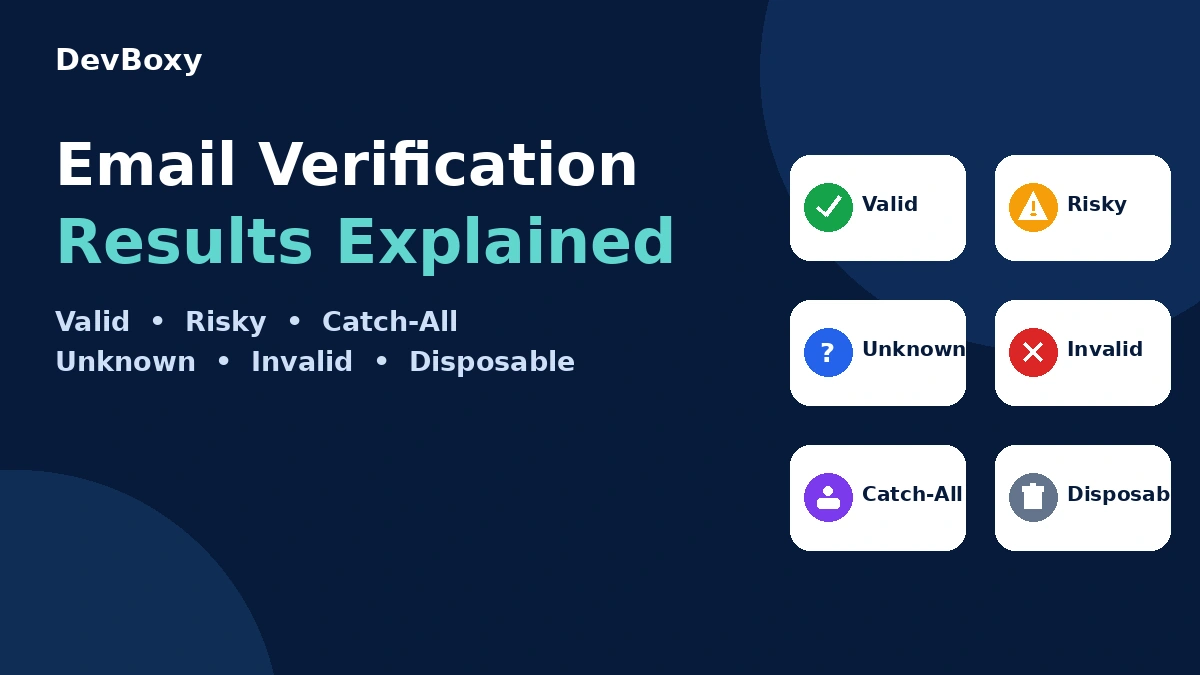
Result | Meaning | Recommended action |
Valid | The address passed the checks the verifier could complete | Send if it also meets your targeting and outreach policy |
Risky | Additional signals reduce confidence | Review the technical reason and contact source |
Catch-all | The domain broadly accepts recipients | Keep separate from automatic Valid contacts |
Unknown | The verifier could not collect enough evidence | Retry later or investigate; do not silently mark Valid |
Temporary failure | A temporary provider or network response interrupted the check | Retry according to policy |
Invalid | Strong negative structural, domain, routing, or mailbox evidence | Skip and suppress from normal campaigns |
Disposable | The address uses a temporary-email provider | Normally exclude from long-term outreach or account data |
Valid is not a delivery guarantee. Sender authentication, reputation, message content, sending volume, recipient filtering, and mailbox changes can still affect the final outcome. Verification is a point-in-time recipient-quality assessment.
For a deeper treatment of ambiguous outcomes, read Invalid and Risky Email Addresses and What Is a Catch-All Email?.
Email verification checklist
Use this checklist before a single contact enters an important workflow:
• [ ] Preserve the original address as received.
• [ ] Remove accidental leading or trailing spaces.
• [ ] Check for obvious syntax and provider-typing errors.
• [ ] Do not assume correct formatting means the mailbox exists.
• [ ] Check the domain and mail-routing evidence.
• [ ] Use a multi-signal verifier for a practical send decision.
• [ ] Keep Catch-all, Risky, and Unknown separate from Valid.
• [ ] Review the reason behind an uncertain or failed result.
• [ ] Retry temporary provider responses according to policy.
• [ ] Record when the address was verified.
• [ ] Suppress confirmed invalid addresses from future sends.
• [ ] Reverify stale contacts before an important campaign.
• [ ] Use a confirmation link or code when ownership must be proved.
• [ ] Remember that verification does not establish consent or legal permission.
For a complete file rather than one address, follow the bulk email verification workflow.
Which verification method should you use?
Situation | Recommended approach |
One cold-outreach prospect | Use a single email verifier and review the reason |
A complete campaign list | Run bulk verification before campaign activation |
A signup or lead form | Use real-time verification; add confirmation when ownership matters |
Developer troubleshooting | Inspect DNS and controlled SMTP evidence without treating it as universal proof |
Account recovery or address change | Require a time-limited confirmation link or code |
Catch-all or Unknown result | Apply a review/retry policy instead of forcing a Valid label |
If addresses enter your product continuously, an email verification API is more reliable than asking a person to repeat manual checks.
Verify an email with DevBoxy
DevBoxy keeps the decision simple while leaving the technical reason available. A Valid address maps to Send; Risky, Catch-all, and Unknown results map to Review; Invalid and Disposable addresses map to Skip.
That result can stay connected to the contact as it moves into a campaign, follow-up sequence, and reply workflow. You do not have to lose the verification context in another disconnected spreadsheet.
Verify an email free or clean a complete list before your next campaign.
Waqar Abdullah is an Email Content Specialist at DevBoxy, focused on creating clear, practical content around email verification, email deliverability, list hygiene, cold email outreach, sender reputation, and email marketing best practices. He works to turn complex email concepts into useful guidance for marketers, sales teams, and businesses that want to improve the quality and performance of their email campaigns.
Frequently asked questions
Can I verify an email address without sending an email?
Yes. An email verifier can inspect syntax, domain and DNS data, mail routing, provider type, available SMTP responses, and catch-all behavior without submitting message content. Some providers limit mailbox checks, so a responsible verifier may return Risky, Catch-all, Unknown, or Temporary rather than a forced yes-or-no answer.
Does an MX record prove that an email address exists?
No. An MX record provides mail-routing information for the domain. It does not confirm that the specific local part before the @ sign belongs to a real mailbox.
Does SMTP verification send a message?
A recipient probe can stop before the SMTP DATA stage, so it does not transmit a message body. It still interacts with the receiving server, and the response may be limited or ambiguous.
What does a 250 SMTP response mean?
A 250 response indicates that the server accepted the relevant SMTP command at that stage. It is not universal proof that a named person's mailbox exists. Catch-all behavior and provider policy can produce acceptance without mailbox-level certainty.
Why does an email address return Unknown?
Unknown means the verifier could not collect enough evidence for a reliable classification. Common causes include timeouts, temporary provider responses, greylisting, rate limits, or blocked mailbox checks. Review the reason and retry when appropriate.
Can a catch-all email address be verified?
A verifier can detect evidence that a domain behaves like a catch-all, but the server's broad acceptance makes the exact mailbox difficult to prove. Keep Catch-all addresses outside the automatic Valid category and apply a separate risk policy.
Does a Valid result guarantee delivery?
No. Valid means the address passed the checks available at verification time. It does not guarantee future mailbox status, inbox placement, recipient permission, engagement, or a reply.
How do I verify a complete email list?
Use a bulk verifier that preserves each address's status, reason, and original row data. Separate Valid contacts from Risky, Catch-all, Unknown, Invalid, and Disposable results before exporting or creating a campaign.
Is a Gmail avatar proof that an address exists?
Use a bulk verifier that preserves each address's status, reason, and original row data. Separate Valid contacts from Risky, Catch-all, Unknown, Invalid, and Disposable results before exporting or creating a campaign.