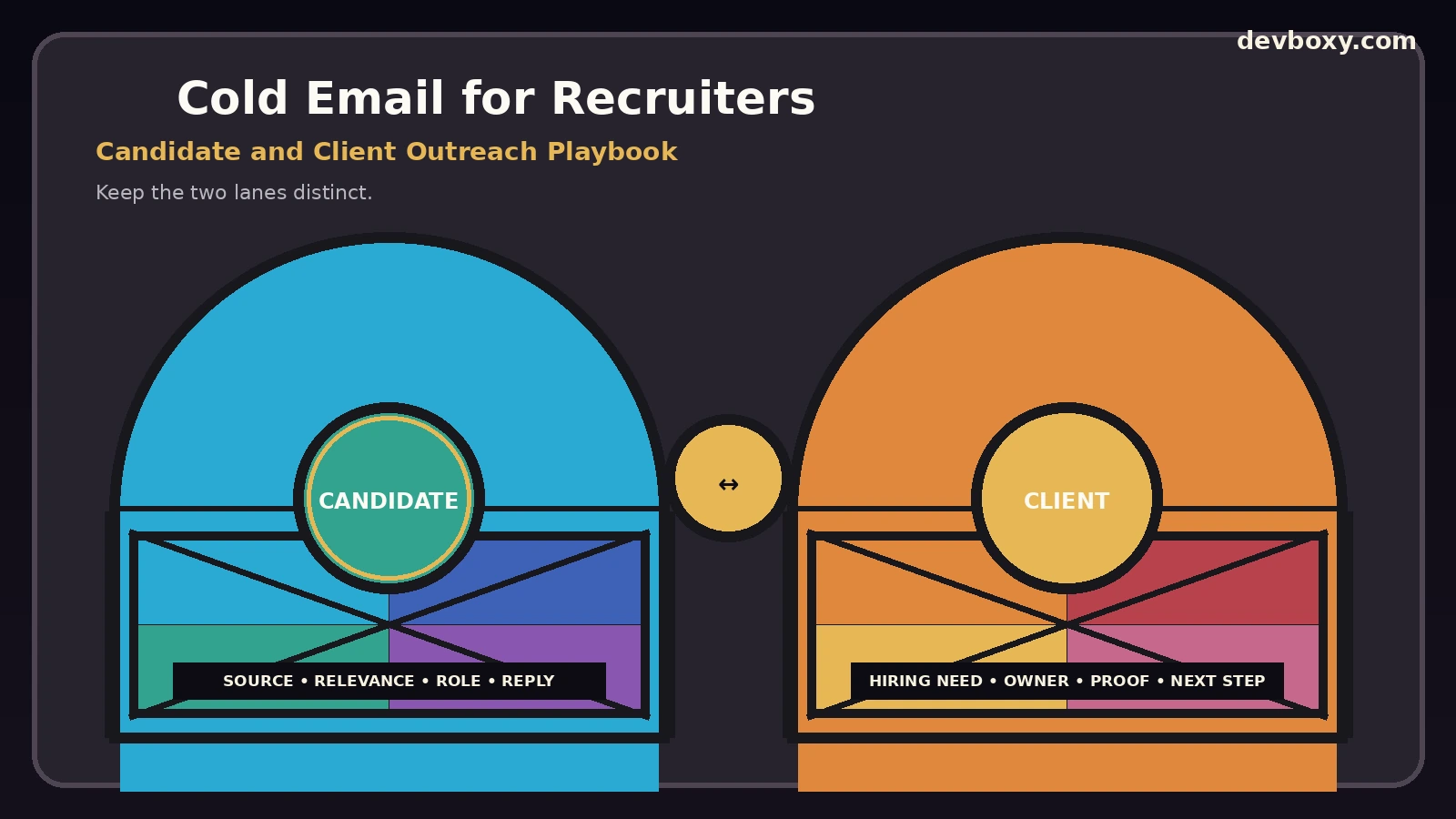
Recruitment agencies run two outbound systems at the same time. One finds people for open roles. The other finds companies that need help hiring. Both use email, but they should not share one vague audience, one generic template, or one undifferentiated reply queue.
Candidate outreach is about a career decision. Client outreach is about buying a recruiting service. The data behind those messages is different, the sender identity can be different, and the reply that counts as success is different. Treating the two motions as the same campaign usually creates poor personalization, duplicate outreach, confusing handoffs, and weak reporting.
This guide explains how to run cold email for recruiters as an operating system: candidate sourcing, client business development, contact-data provenance, email verification, sender health, sequence design, collision prevention, reply routing, suppression, privacy controls, and measurement. It does not try to replace the broader agency operating model or prescribe one universal number of follow-ups. Its job is to make recruitment-specific outreach safer, clearer, and easier to improve.
Key Takeaways
Keep candidate sourcing and client business development as separate outreach lanes with different lists, copy, reply states, and outcomes.
Do not make the email address your candidate identity. Preserve a stable candidate record, source, role or requisition, contact point, and outreach history so multiple recruiters do not collide.
Email verification reduces address-level risk; it does not prove that the candidate is relevant, available, interested, lawfully sourced, or appropriate to contact.
Tell candidates why you contacted them and make the opportunity specific enough to evaluate without a call.
Stop automated follow-ups when a real reply arrives. Classify and route the response after the sequence is safely paused.
Keep candidate privacy, source, retention, access, and opt-out rules inside the outreach workflow rather than treating them as a footer added after launch.
Measure candidate conversations and client opportunities separately. A strong candidate reply rate cannot rescue weak client acquisition, and vice versa.
Recruitment Cold Email Has Two Different Jobs
The biggest operating mistake is building one “recruiting campaign” and mixing everyone into it. A recruitment agency should first identify which side of the market the message serves.
Lane | Recipient | Primary question | Useful outcome |
|---|---|---|---|
Candidate sourcing | Passive or active professional | Is this role worth exploring? | Interested reply, screening conversation, referral, or clear timing signal |
Client development | Hiring leader, founder, HR, talent acquisition, department owner | Does this company need recruiting help? | Hiring need, discovery conversation, approved introduction, or future buying signal |
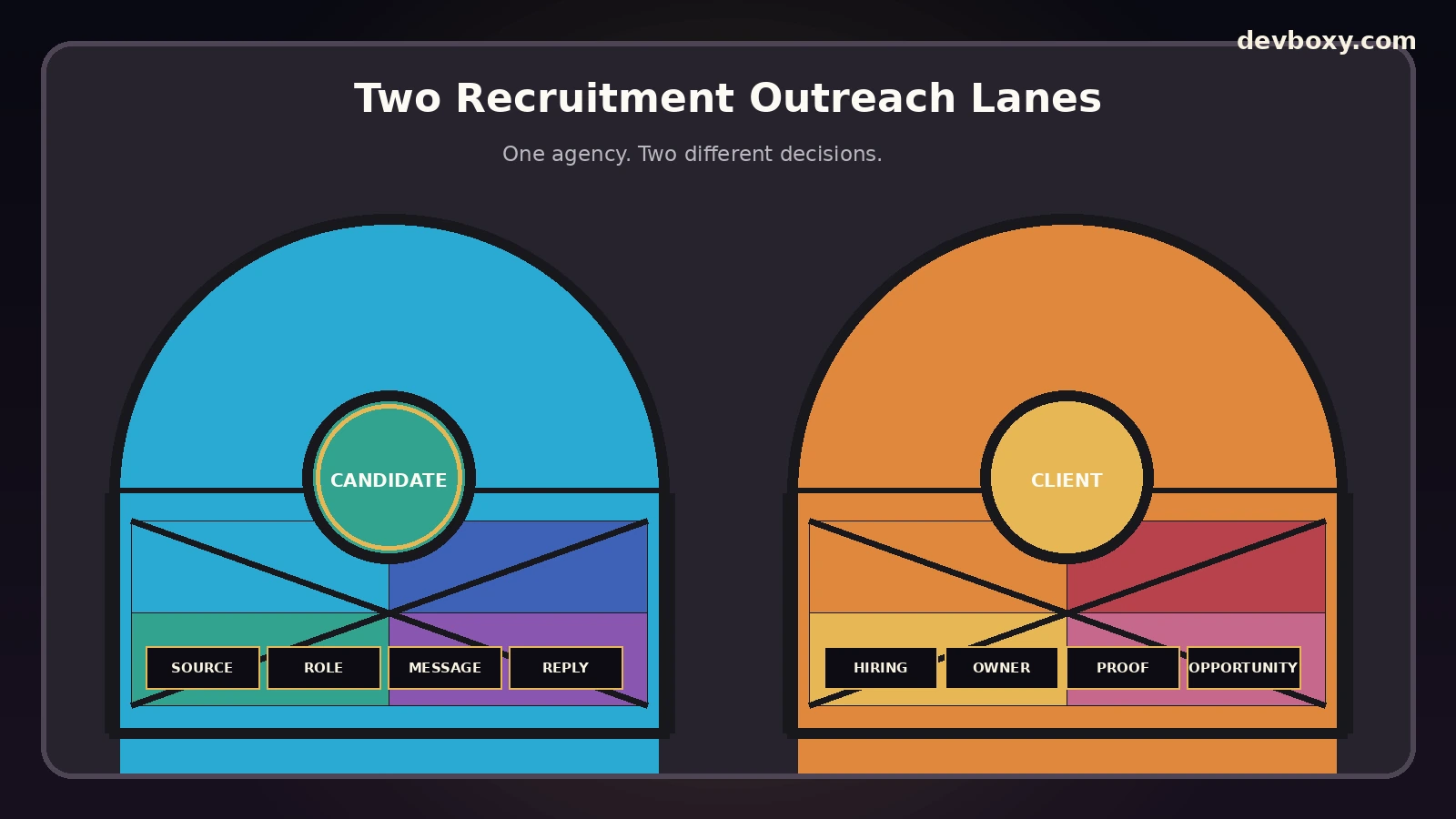
Candidate and client lanes may use the same DevBoxy outreach platform, but the operating records should remain distinguishable. The campaign owner should be able to answer, without opening a spreadsheet, whether an inbound reply came from a candidate evaluating a role or a hiring manager evaluating the agency.
Candidate sourcing is not a sales pitch
A passive candidate is being asked to consider a change that may affect compensation, location, family, visa status, work style, career direction, and confidentiality. The first email should therefore give enough concrete information for a reasonable person to decide whether the conversation is worth continuing.
Client development is a commercial prospecting motion
A hiring manager or HR leader is being asked to consider a service. Here, proof should relate to the type of search, role family, market, speed, process quality, or recruiting problem the agency actually solves. Do not make a job advertisement and an agency pitch compete inside the same message.
Build a Candidate Record Before You Build a Sequence
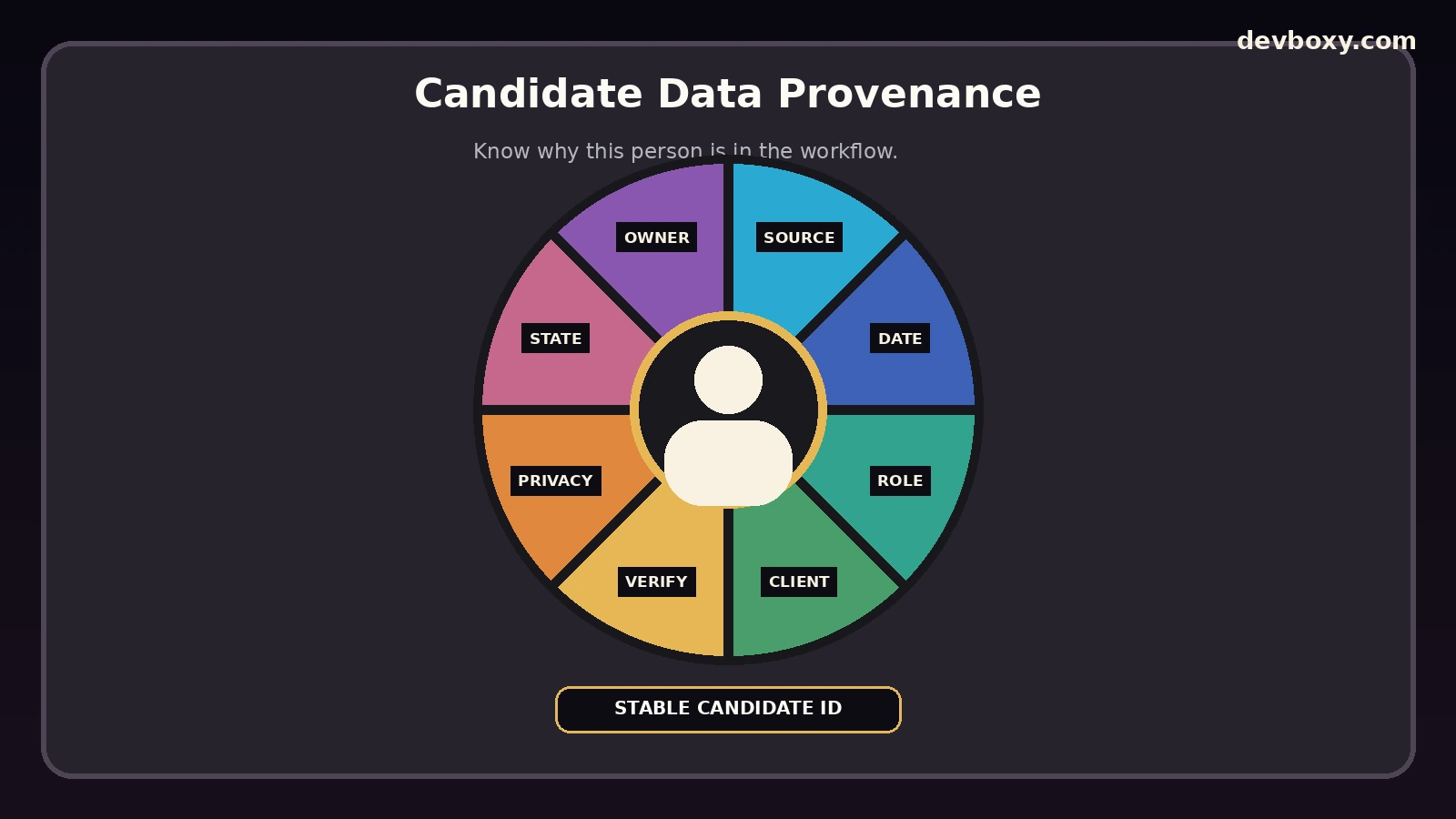
Recruiting outreach becomes hard to control when the contact list contains only name, company, title, and email. The outreach system needs a stable record that explains why this person is in the workflow.
A practical candidate outreach record can include:
candidate ID: a stable internal identity independent of one email address;
source: where the profile or contact information came from;
source date: when it was collected or last confirmed;
role evidence: skills, seniority, location, or experience that created the recruiting reason;
client and requisition: which search the outreach supports;
contact point: the specific email used and whether it is personal, corporate, role-based, or otherwise uncertain;
verification result: the mailbox-quality evidence available at the time of sending;
privacy state: applicable notice, lawful-basis review, retention rule, or jurisdictional requirement;
outreach state: eligible, scheduled, replied, paused, suppressed, or closed;
owner: the recruiter responsible for the next action.
This structure prevents a common recruiting failure: the same person being contacted by two recruiters for the same role because one record used a work address and another used a personal address.
Use a candidate-role key for collision control
At minimum, check the combination of candidate, hiring company or client, and role before starting a new sequence. If the candidate is already in an active conversation about that opportunity, the second recruiter should see that state and stop. A new email address does not make it a new candidate.
Recruiting platforms such as Gem describe “rules of engagement” and prospect history as ways to reduce duplicate outreach. The underlying operating principle applies regardless of software: one candidate should not receive overlapping messages simply because teams or data sources are disconnected. See Gem’s talent sourcing workflow for an example of this approach.
Treat Candidate Data Provenance as Part of the Outreach
Candidate data is personal data. Recruitment agencies may collect it from applications, referrals, professional networks, client records, talent databases, job boards, or public professional profiles. The fact that information is visible online does not remove the agency’s responsibility for how it is used.
The UK ICO’s current recruitment and selection guidance is aimed explicitly at employers, recruitment agencies, head-hunters, and consultancies. The guidance is currently under review following UK data-law changes, so teams operating in the UK should check the live version before relying on it.
Its Finding candidates section says recruiters may manually search appropriate public recruitment-oriented platforms, but they remain responsible for data-protection compliance. It also says privacy information should be provided as soon as possible and no later than one month after obtaining publicly available information, and that direct contact with identified candidates must comply with direct-marketing rules.
Do not collect more than the outreach needs
A recruiting email usually needs professional relevance, contact information, the role context, and enough evidence to explain why the candidate was selected. It usually does not need unrelated personal details. Avoid collecting sensitive or special-category information merely because a source makes it visible.
When automation or AI is used to source, rank, or profile candidates, add human review and document the processing purpose. In March 2026, the ICO again emphasized safeguards, transparency, fairness, and candidate rights around automated recruitment decisions. See its current automated recruitment guidance update.
Verify the Contact Point Without Confusing Verification With Candidate Quality
Email verification answers an address question, not a hiring question.
Use the DevBoxy Email Verifier when reviewing a single candidate address and the Bulk Email Verifier for larger sourcing exports. Current DevBoxy pages distinguish Valid, Risky, Catch-all, Unknown, temporary or restricted outcomes rather than pretending every uncertain result is safe.
For recruitment operations:
Valid can support sending eligibility, but still requires relevance and lawful use.
Risky, Catch-all, or Unknown should remain visible for review rather than silently becoming Valid.
Invalid should be excluded from sending and preserved as a data-quality signal.
Role-based or generic addresses need context. A recruiting team should know whether the address belongs to a real hiring function, a generic company inbox, or something unrelated to the search.
Do not use verification as a justification to contact someone. DevBoxy’s Privacy Policy states that users are responsible for having the rights, permissions, consent, or lawful basis required for uploaded lead data, and its Acceptable Use Policy prohibits unlawfully collected data, bypassing suppression, deceptive identity, and harvested-address abuse.
Separate Candidate Sending From Client Business Development
Candidate outreach often goes to personal inboxes, while client acquisition often goes to corporate domains. The sending environment should make those traffic types visible even if they share the same provider.
Before launch, review sender identity, authentication, mailbox health, and actual message headers. The Email DNS Checker combines SPF, DKIM, DMARC, and MX review, while the Domain Health Checker provides a broader sending-domain review.
Google’s current email sender guidelines apply to mail sent to personal Gmail accounts. All senders need authentication and other baseline controls, while higher-volume senders have additional SPF, DKIM, DMARC, alignment, spam-rate, and unsubscribe requirements for relevant traffic. Google also recommends gradual volume increases rather than bursts.
Yahoo’s current sender best practices similarly require authentication and low complaint rates, with stronger requirements for bulk senders.
Inspect what receivers actually saw
DNS records can look correct while a real message still uses the wrong From identity, return path, DKIM selector, or relay. Send controlled tests and inspect the message. The Email Header Analyzer is designed to surface SPF, DKIM, DMARC, and routing context from full headers.
Write Candidate Outreach Around a Real Opportunity
A candidate should not need a discovery call just to learn what the recruiter is contacting them about.
A useful first message normally makes five things clear:
Who you are: recruiter, agency, and the relationship to the hiring company where disclosure is authorized.
Why this candidate: one or two relevant professional facts, not generic praise.
What the opportunity is: role family, level, core responsibility, and enough context to assess fit.
What matters materially: location or remote model, employment type, and compensation range when approved, known, and appropriate to disclose.
What the next step is: one low-friction question or short conversation, not a full application.
Workable’s evergreen passive candidate guidance recommends explaining how the candidate was found, why the recruiter is reaching out, the role, and a clear next step. Gem’s recruiting outreach sequence guide similarly treats follow-ups as a progression of new information rather than repeated bumps.
Be truthful when the client is confidential
If a search is confidential, say that the client name is confidential at this stage. Do not invent a company description, imply a relationship you do not have, or make the sender appear to be an employee of the hiring company without authorization.
Build Follow-Ups Around Candidate Decision States
This page does not own the universal question of how many follow-ups to send. Recruiting teams should use a limited sequence and test it by role family, seniority, market, source, sender condition, and candidate feedback. The more important recruiting-specific decision is what happens after the candidate provides a signal.
Candidate signal | What it means operationally | Next action |
|---|---|---|
Interested | Willing to explore the role | Stop automation, assign recruiter, preserve role context |
Not now | Potential future interest | Stop current sequence; create a dated, policy-compliant future task only if appropriate |
Wrong role | Profile or requirement mismatch | Correct the candidate-role data before considering another role |
Compensation / location mismatch | Opportunity constraints do not fit | Record the reason; do not keep selling the same role |
Referral | Another person may be relevant | Review the referral source and legal basis before enrolling the new person |
Opt-out / do not contact | Contact should stop | Apply durable suppression before any future campaign can send |
Out of office / automatic | No reliable human decision yet | Hold or review under a defined automation policy |
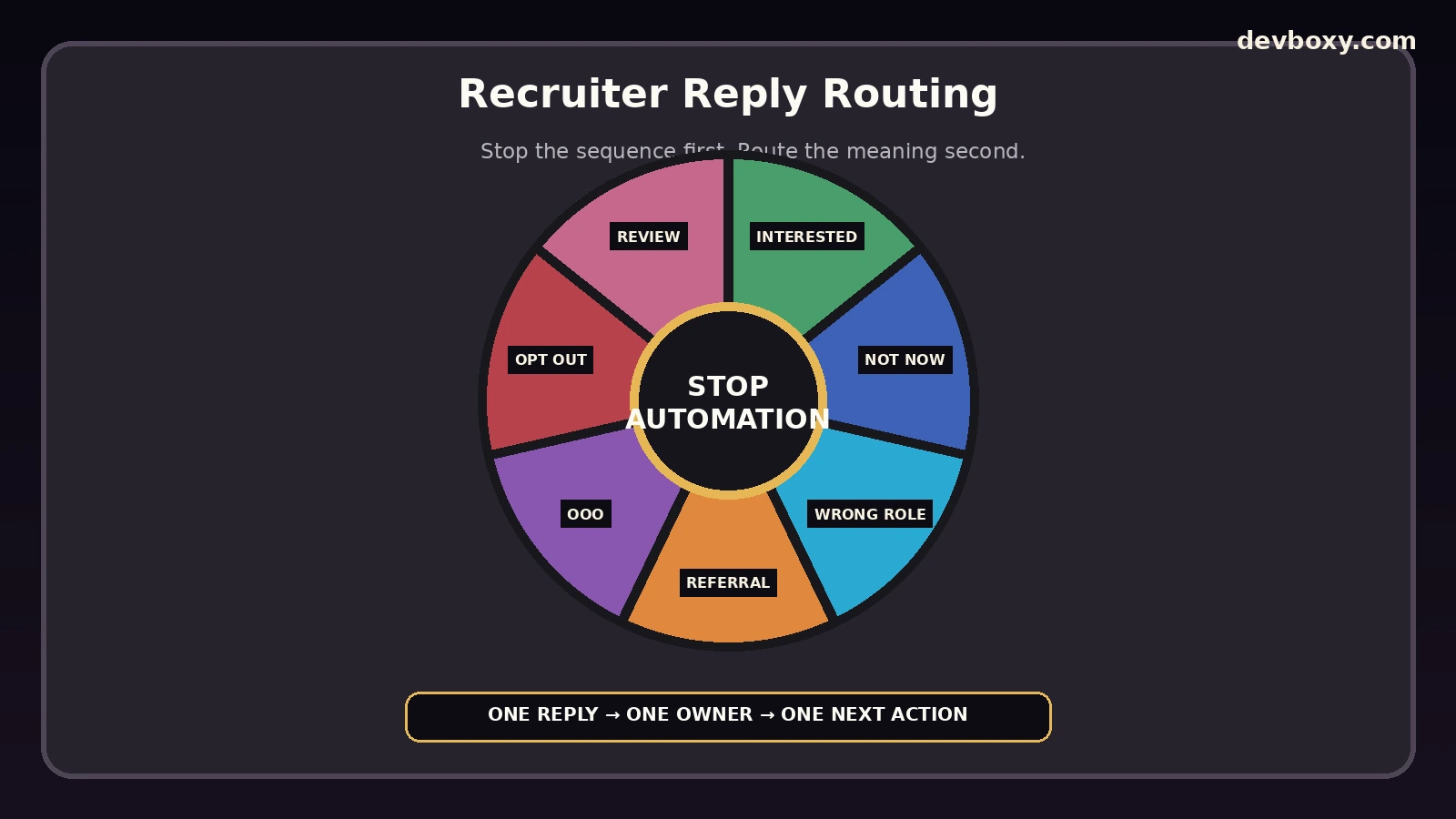
The safest default is simple: once a real reply arrives, stop scheduled candidate follow-ups first and classify second. A delayed classifier should not be allowed to send over an active career conversation.
Client Outreach Needs Its Own Targeting and Reply Model
Recruitment agencies also need hiring clients. That outreach should not reuse candidate messaging.
A strong client prospect record can include:
company and business model;
role family or hiring problem the agency can credibly solve;
evidence of current or recurring hiring demand;
the actual hiring owner or talent-acquisition contact;
specialization or proof relevant to that search;
prior agency relationship or vendor status;
suppression and objection history.
Useful client reply categories are different from candidate categories: active hiring need, future hiring window, internal TA only, incumbent agency, wrong contact, referral, no fit, and opt-out. Reporting should preserve that distinction.
Apply commercial-email rules to the client-development lane
Legal rules depend on jurisdiction and recipient type. In the United States, the FTC’s CAN-SPAM compliance guide says the law covers commercial email and has no business-to-business exception. A recruitment agency email selling recruiting services is therefore not exempt merely because it goes to a company address.
In the UK, rules for electronic marketing vary between corporate and individual subscribers. The ICO’s updated April 2026 electronic mail marketing guidance explains those distinctions and notes that publicly available contact details do not automatically mean consent. Obtain qualified legal guidance for the markets and audiences you contact.
Make Suppression Candidate-Aware, Not Campaign-Aware
Recruiting databases are continually refreshed. A candidate may appear again through a new sourcing platform, new CSV, a referral, or a different email address. If suppression lives only inside one campaign, the same person can re-enter later.
Store suppression against the person or the broadest appropriate identity, with enough evidence to match future imports safely. Preserve the source and date of the opt-out. Do not delete the only record that allows the system to remember that contact should stop.
For client acquisition, keep a durable do-not-contact state as well. In the UK, the ICO specifically recommends suppression rather than simply deleting an objecting business contact so future marketing lists can be screened against it.
Measure Candidate and Client Funnels Separately
Recruitment outreach can look healthy while producing the wrong kind of activity. Keep the two funnels separate from the first report.
Lane | Conversation metrics | Downstream outcomes |
|---|---|---|
Candidate | Human replies, interested replies, not-now signals, wrong-role replies, opt-outs | Screening conversations, qualified submissions, interviews or other agreed recruiting stages |
Client | Human replies, active-hiring signals, referrals, objections, opt-outs | Discovery conversations, live requisitions, proposals or qualified client opportunities |
Always show absolute counts alongside rates. Ten interested replies from a carefully researched executive-search cohort and ten from a broad junior-role campaign are not operationally equivalent.
Open tracking can be a diagnostic clue but should not be the main decision metric. Google explicitly says it does not track open rates and cannot verify third-party open-rate accuracy. Use actual replies, candidate quality, client opportunities, suppression, delivery errors, and downstream outcomes instead.
Run a Recruitment Outreach Preflight
Before a candidate or client campaign starts, confirm:
the lane is correct: candidate or client;
the sender identity is authorized and truthful;
SPF, DKIM, DMARC, MX, and reply routing are healthy;
candidate or client source evidence is stored;
address verification and uncertain results have been reviewed;
existing suppression is reconciled before enrollment;
personalization facts are supportable;
the message gives enough role or service context to make a decision;
follow-up stop rules are active;
reply ownership and backup coverage are assigned;
the campaign has an appropriate legal and privacy review for its audience and jurisdiction.
If deliverability changes after launch, use the DevBoxy network tools to inspect DNS, authentication, routing, connectivity, and reputation signals. The Blacklist Checker can help identify blocklist signals, but a listing is one diagnostic input rather than a complete inbox-placement verdict.
How the Recruitment Workflow Fits in DevBoxy
DevBoxy currently presents free email verification, bulk list verification, campaign creation, contact management, email sequences, automated follow-ups, reply tracking, and deliverability tools. A practical recruitment workflow is:
create separate candidate and client outreach segments;
preserve source, candidate or account identity, role context, and suppression before upload;
verify the intended contact points and keep Risky, Catch-all, Unknown, and Invalid outcomes distinct;
review the sending domain with DevBoxy DNS and domain-health tools;
create a sequence whose message and reply states match the lane;
test reply routing and stop behavior with controlled external mailboxes;
launch a limited cohort and review provider responses, human replies, opt-outs, and owner coverage;
expand only when sender health, data quality, candidate or client relevance, and response handling remain controlled.
Current plan-level campaign, contact, SMTP, scheduling, and follow-up capacity is listed on the DevBoxy pricing page. Those quotas are software entitlements, not recommended recruiting send volumes. Provider policy, sender health, candidate relevance, client fit, and the team’s ability to handle replies should set the operational ceiling.
Recruiting Outreach Works Best When the Person Never Becomes “Just a Lead”
The technical system matters because recruitment is unusually sensitive to context. One person can be a passive candidate today, an active applicant later, a referral source next year, or even a future hiring manager. Losing that history creates bad outreach and poor candidate experience.
Build the record first. Separate candidate and client lanes. Verify contact points without confusing technical validity with permission or relevance. Keep the sender truthful, the opportunity specific, the reply owner visible, and suppression durable. Then use automation to execute those decisions—not to replace them.
That is the standard for scalable cold email in a recruitment agency: more control as volume grows, not less.
Frequently asked questions
What is cold email for recruiters?
Cold email for recruiters is direct outreach to people or companies with whom the recruiter does not yet have an active conversation. Recruitment agencies usually have two distinct motions: candidate sourcing for specific roles and client business development for hiring services. They should use separate targeting, messaging, reply states, and reporting.
Can recruitment agencies cold email passive candidates?
Whether a recruiter may contact a passive candidate depends on the jurisdiction, contact method, data source, recipient type, and applicable privacy and electronic-marketing rules. A public professional profile does not automatically create blanket permission. Document the source, relevance, privacy obligations, and opt-out or suppression state, and obtain qualified legal guidance for the markets you operate in.
Should recruiters verify candidate email addresses before outreach?
Yes, verification can reduce avoidable address-level failures and help separate Valid, Risky, Catch-all, Unknown, and Invalid outcomes. It does not prove candidate fit, interest, availability, identity, consent, or lawful use. Verification is one data-quality layer inside a broader recruiting decision.
How do recruiters avoid contacting the same candidate twice?
Use a stable candidate identity and check the candidate-client-role combination before starting a sequence. Preserve all known contact points, prior outreach, active conversations, ownership, and suppression. Do not treat a new email address or a new sourcing platform record as a new person automatically.
What should happen when a candidate replies to an automated sequence?
Stop the remaining automated follow-ups first, then classify and route the response. Interested, not-now, wrong-role, compensation or location mismatch, referral, opt-out, out-of-office, and ambiguous responses need different next actions. A classifier delay should never become permission to keep sending over an active conversation.
How does DevBoxy support recruitment agency outreach?
DevBoxy currently presents single and bulk email verification, contact management, campaign creation, multiple sending accounts, email sequences, automated follow-ups, reply tracking, pricing-based outreach limits, and public DNS and deliverability diagnostics. Recruitment agencies still own candidate-data legality, client authorization, targeting, message truthfulness, reply quality, and stop decisions.