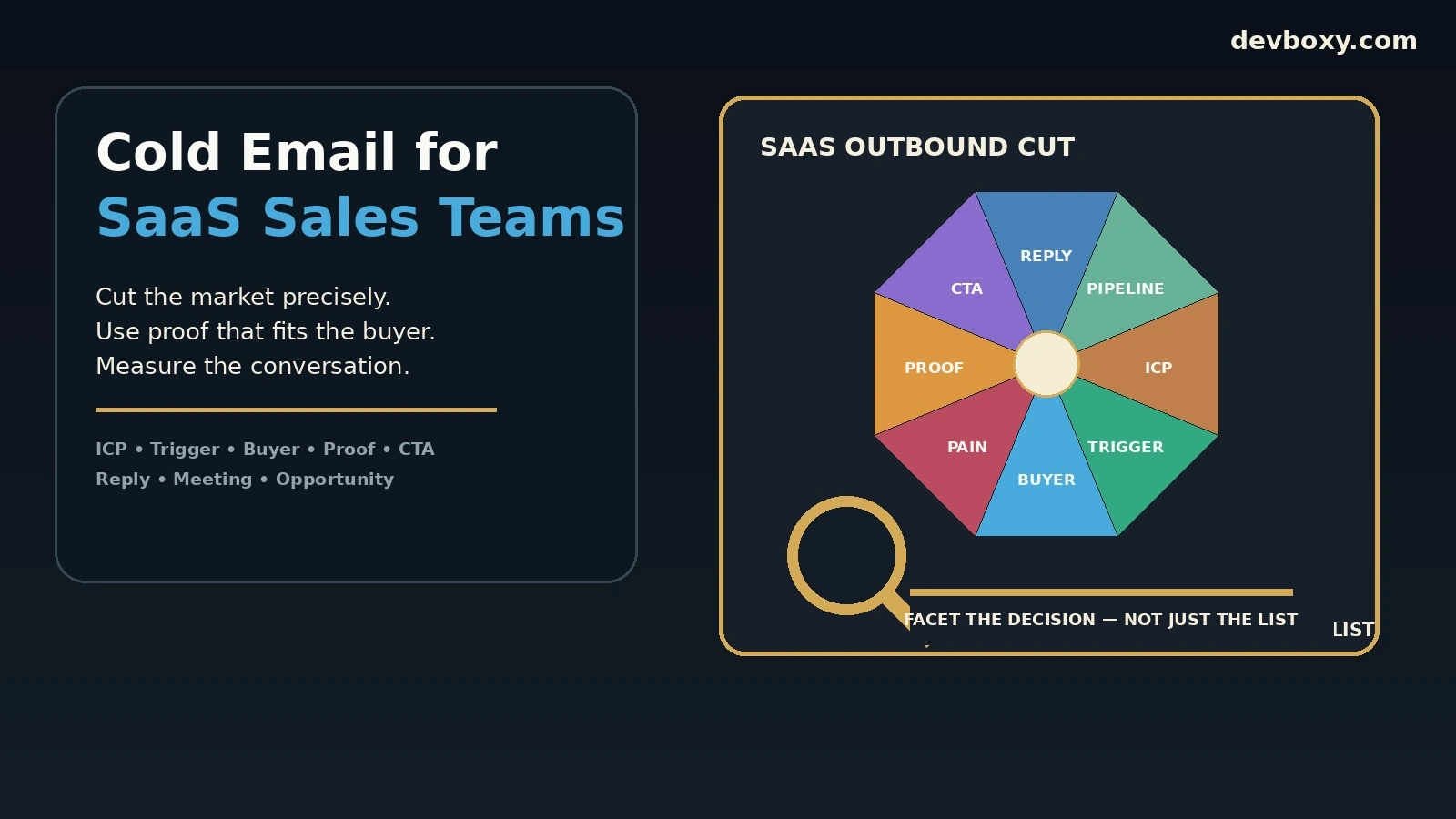
Cold email for SaaS works best when it behaves like a sales system, not a volume tactic. The difficult part is rarely writing one clever message. It is deciding which accounts are actually worth contacting, which buyer inside the account owns the problem, what business event makes the timing credible, which proof is relevant, how each sequence step changes the decision, and what the team should do when a reply arrives.
This guide focuses on cold email for SaaS sales teams. It covers the parts that are specific to SaaS outbound: ideal customer profiles, account triggers, buying committees, product proof, sequence design, demo handoff, opportunity attribution, and the metrics that show whether an outbound motion is becoming more efficient. It does not replace the broader outbound operations playbook, and it does not prescribe one universal send volume or one perfect sequence length.
Key Takeaways
Define SaaS outbound at three levels: the right account, the right buyer, and a credible reason to contact them now.
Use buying triggers to improve relevance, but never invent a trigger or claim to know something that cannot be verified.
Map the buying committee before writing the sequence. A user, functional manager, technical evaluator, security reviewer, and economic buyer may need different evidence.
Give each sequence step a distinct decision job: establish relevance, clarify the problem, add proof, reduce risk, or find the correct owner.
Optimize for human replies, positive replies, meetings held, qualified opportunities, and pipeline—not for opens alone.
Separate software quota from sender safety. Gmail and Yahoo requirements still apply regardless of what your outreach plan allows.
Stop automation when a real reply arrives, preserve opt-outs, and keep the campaign, sender, account, contact, and next action linked together.
Start With the SaaS Sales Motion, Not the Email Copy
Before building a list, decide what the outbound motion is trying to create. SaaS teams often mix several motions inside one campaign:
founder-led discovery for an early product;
SDR outbound for a proven segment;
account expansion into existing customers;
enterprise prospecting with multiple stakeholders;
partner or ecosystem outreach;
reactivation of previously engaged accounts.
These motions may use the same platform, but they should not use the same audience logic, proof, CTA, or success definition. An early-stage founder might want learning and qualified conversations. A scaled SDR team may care about meetings held and accepted opportunities. An enterprise motion may need to map multiple stakeholders before a meeting is even useful.
Write the motion down in one sentence:
We are contacting [specific account type] because [specific condition] suggests they may have [specific problem], and the first useful outcome is [specific next step].
If that sentence is vague, the cold email will usually be vague too.
Build the ICP in Four Layers
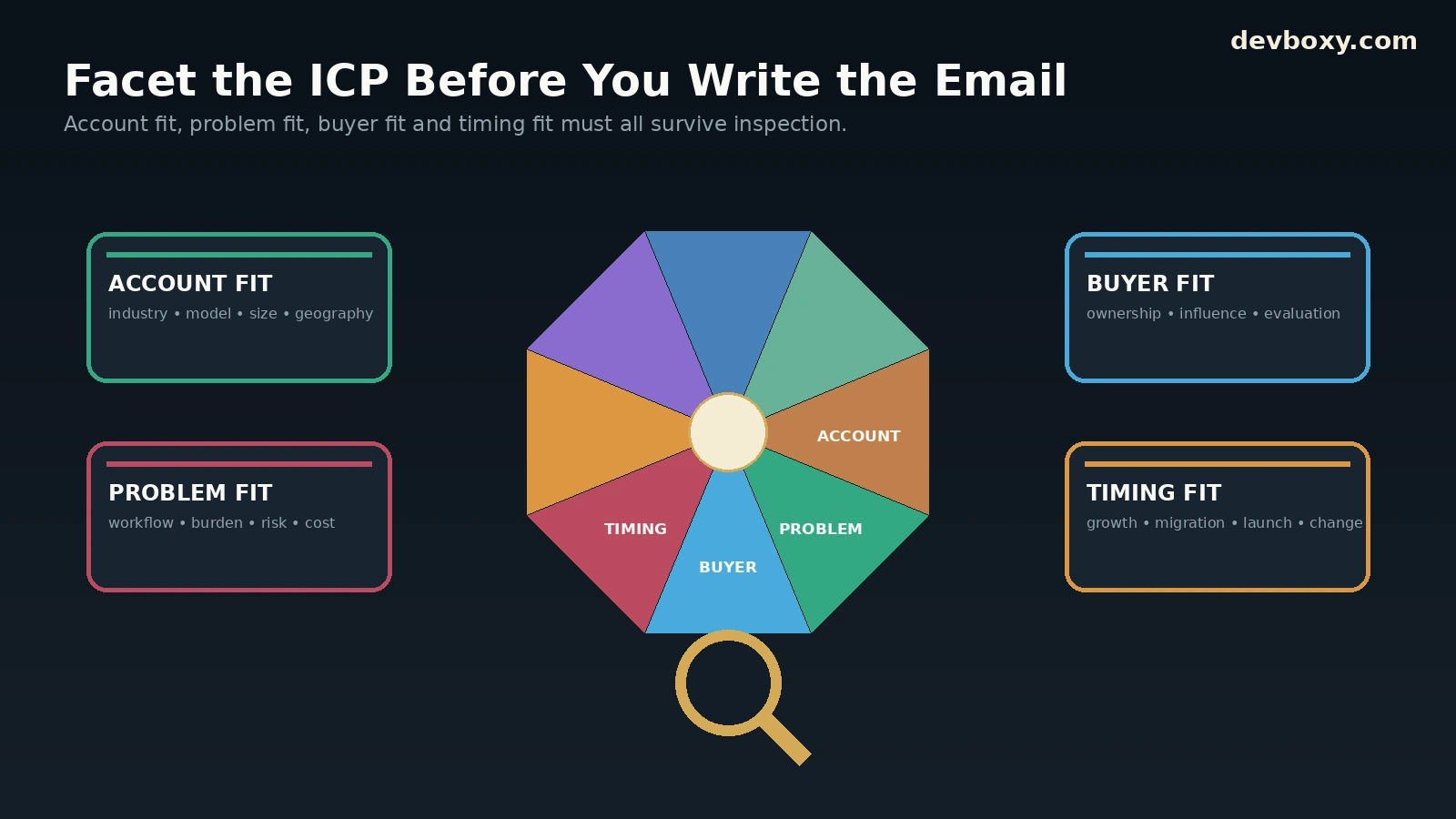
A useful SaaS ideal customer profile is more than industry plus company size. For outbound, the ICP needs enough operational detail to decide who enters the list and who stays out.
Layer | Question | Example evidence |
|---|---|---|
Account fit | Does this company resemble a customer that can realistically use and buy the product? | Industry, business model, geography, size, technical environment, sales motion, compliance needs |
Problem fit | Is there a plausible problem the product actually solves? | Workflow complexity, scale, hiring pattern, process gap, operational burden, known technology limitations |
Buyer fit | Does this person own, influence, or evaluate the problem? | Role, function, seniority, team scope, technical ownership, budget responsibility |
Timing fit | Why might this matter now rather than six months from now? | Hiring, new market, migration, funding, team growth, product launch, new regulation, tooling change |
Keep exclusion rules beside inclusion rules. A company can match the industry and still be wrong because it is too small for the workflow, already uses an incompatible model, cannot buy in the target geography, or sits outside the product’s current compliance and support boundary.
Use the DevBoxy Bulk Email Verifier after list construction to reduce avoidable address-level problems, but remember that verification cannot confirm ICP fit. A technically valid mailbox can still belong to the wrong company or wrong buyer.
Use Buying Triggers as Evidence, Not Decoration
Trigger-based outreach is powerful because it gives the prospect a reason to understand why the email exists. It becomes weak when the trigger is generic, stale, or unrelated to the product.
Useful SaaS triggers can include:
a team hiring for a function affected by the product;
a public migration or platform change;
new enterprise or compliance requirements;
a product launch that changes workflow complexity;
visible growth in the team that owns the problem;
a new market or geography that creates operational pressure;
a public technology or process signal that is directly relevant.
The rule is simple: the trigger should change the message. If removing the trigger sentence leaves the rest of the email untouched, the personalization is probably cosmetic.
Do not turn public data into fake certainty
A job opening can suggest a team is growing. It does not prove the company has the exact problem your product solves. A technology tag can suggest a stack. It does not prove the buyer dislikes it. A funding announcement can suggest change. It does not mean the company has budget for your product.
Use careful language: “I noticed,” “it looks like,” or “this may be relevant because.” Avoid pretending inference is fact.
Map the Buying Committee Before You Build the Sequence
Many SaaS products affect more than one person. If the outbound team targets only one job title, it can mistake a routing problem for a messaging problem.
Stakeholder | Likely concern | Useful evidence |
|---|---|---|
End user | Will this save time or improve the workflow? | Specific task improvement, usability, practical before/after |
Functional manager | Will this improve team output or reduce operational risk? | Process control, reporting, efficiency, consistency |
Technical evaluator | Will it integrate and operate safely? | Architecture, integration path, security or technical constraints |
Economic buyer | Is the problem worth paying to solve? | Business case, cost of current process, measurable outcome |
Risk / security reviewer | Can this pass internal review? | Security, privacy, governance, contractual or compliance evidence |
Not every SaaS deal has all five stakeholders. The point is to identify the actual decision path for your category and route the outreach accordingly.
Write the First Email Around One Business Decision
A SaaS cold email should usually ask the prospect to make one small decision. It should not ask them to understand the entire product, evaluate every feature, and book a 45-minute demo in the same message.
A practical structure is:
Context: why this company or buyer belongs in the conversation.
Problem: the specific operational friction you believe may exist.
Proof: one credible reason to believe the problem can be improved.
Decision: one easy question that can be answered quickly.
Hi {{firstName}},
I noticed {{companyName}} is expanding its customer-success team across two regions. Teams at that stage often end up splitting account context between the CRM, support tools, and spreadsheets.
We help SaaS teams keep that handoff visible in one workflow without replacing the systems they already use.
Is reducing that handoff work something your team is reviewing this quarter?
{{senderName}}
The example is intentionally narrow. It does not dump the feature list. It gives the buyer enough information to say yes, no, not now, or wrong person.
Build the Sequence as Different Facets of the Same Decision
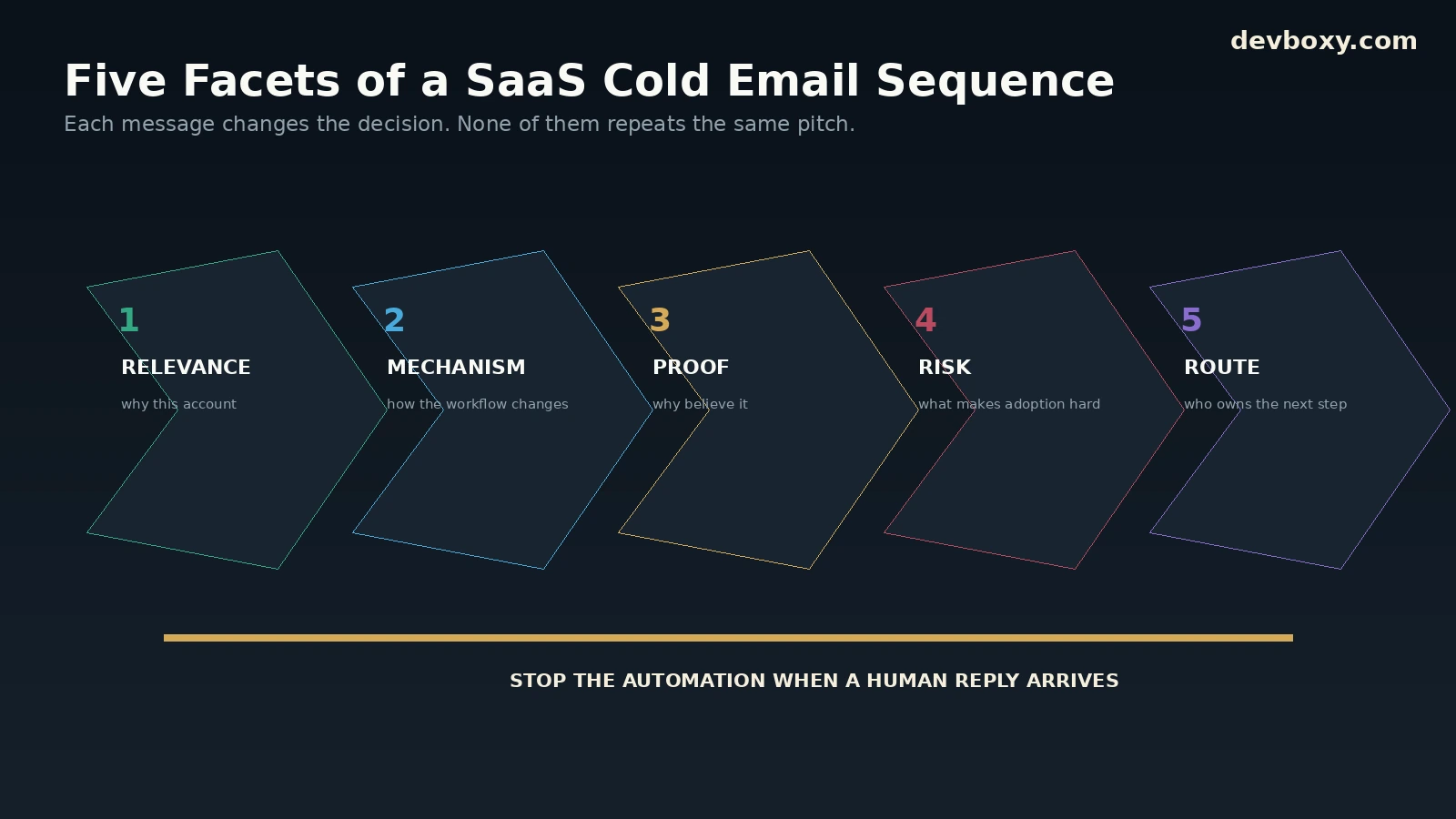
A sequence should not send the same pitch with new opening words. Each step should expose a different facet of the decision.
Step job | What changes | What not to do |
|---|---|---|
Establish relevance | Connect the buyer and account to one real problem | Lead with a generic feature list |
Clarify the mechanism | Explain how the product changes the current workflow | Repeat “just checking in” |
Add proof | Share a relevant result, example, or method with clear limits | Use unrelated social proof |
Reduce risk | Address integration, effort, security, switching cost, or implementation friction | Create fake urgency |
Route or close | Ask for the right owner or close the loop respectfully | Keep sending indefinitely |
Use the broader cold email follow-up guide for general follow-up logic, and the follow-up template library for scenario-based examples. This page owns the SaaS-specific decision path.
Use Proof That Matches the Buyer and the Stage
SaaS teams often have plenty of proof but use it badly. A large customer logo is not automatically relevant to a smaller company. A technical benchmark may not help a revenue leader. A testimonial about support quality may not reduce security risk.
Choose proof by buyer question:
“Does this work?” — use a relevant customer outcome or controlled product evidence.
“Will this fit our workflow?” — use an implementation example or integration path.
“Will this create more work?” — show the operating change and who owns it.
“Is this safe?” — point to security, privacy, governance, or technical evidence.
“Is this worth prioritizing?” — connect the problem to cost, time, risk, or growth.
Do not invent ROI. If the product does not have first-party outcome data for a claim, describe the mechanism and expected decision instead of manufacturing a percentage.
Choose a CTA That Matches Deal Friction
The stronger the commitment you ask for, the more evidence the buyer needs.
Common CTA levels are:
Permission CTA: “Worth sending the two-minute overview?”
Problem CTA: “Is this something your team is trying to fix?”
Routing CTA: “Who owns this workflow?”
Evaluation CTA: “Would a short comparison be useful?”
Meeting CTA: “Open to a 15-minute working session?”
Early outbound often performs better when the first decision is easy to answer. The team can move to a demo once the prospect has shown enough interest to justify it.
Protect Sender Health Before Scaling the Sales Team
Outbound capacity is not only an SDR productivity problem. It is a sender-reputation and provider-policy problem.
Google’s current email sender guidelines require SPF or DKIM for all senders to personal Gmail accounts, valid forward and reverse DNS, TLS, standards-compliant messages, and spam rates below 0.3%. Senders above Google’s bulk threshold must meet additional SPF, DKIM, DMARC, alignment, and unsubscribe requirements. Google’s current FAQ also states that traffic from subdomains can count toward the same primary-domain bulk-sender classification.
Yahoo’s sender requirements similarly require authentication, low complaint rates, valid DNS, RFC compliance, and additional DMARC and unsubscribe controls for bulk senders.
Inside DevBoxy, the current pricing page shows plan-level limits for campaigns, emails per day, contacts, follow-up steps, minimum send delay, and SMTP credentials. Treat those as software entitlements, not as recommended sender volumes. The safer operating limit is whichever is lower: product capacity, provider policy, sender history, list quality, and your ability to monitor replies and failures.
Use the Email DNS Checker and Domain Health Checker to review authentication and public configuration before launch.
Keep List Quality Separate From ICP Quality
SaaS outbound teams often confuse a clean email list with a good market list. They solve different problems.
ICP quality asks whether the account and person should be targeted.
Email verification asks whether the address has usable technical evidence.
Suppression asks whether the contact is still eligible to receive outreach.
A good workflow keeps all three visible. Use the single Email Verifier for individual checks and the bulk workflow for lists. Preserve Risky, Catch-All, Unknown, Invalid, and Disposable outcomes rather than flattening them into one binary decision.
Then apply campaign policy. A technically valid contact who has opted out is not eligible. A catch-all contact may still deserve human review. A verified address for the wrong persona is still the wrong lead.
Design the Reply Handoff Before the First Send
The value of a positive reply collapses quickly when nobody knows who owns it. Before launch, define what happens after each meaningful response.
Reply state | Next action | Typical owner |
|---|---|---|
Interested | Respond in context and agree the next step | SDR, founder, or AE |
Needs detail | Answer the specific question before asking for a meeting | SDR or product specialist |
Wrong person | Ask for the correct owner and update account mapping | SDR |
Not now | Stop the sequence and record the approved future timing | SDR / account owner |
Objection | Classify the real concern and respond with relevant evidence | SDR or AE |
Opt-out | Apply durable suppression | System + operations |
When a human reply arrives, the safest default is to stop remaining automated follow-ups first, then classify and route the conversation. The shared inbox vs individual mailbox guide covers team ownership models, while the positive-reply response-time guide covers SLA design.
Measure the SaaS Outbound Funnel From Eligibility to Pipeline
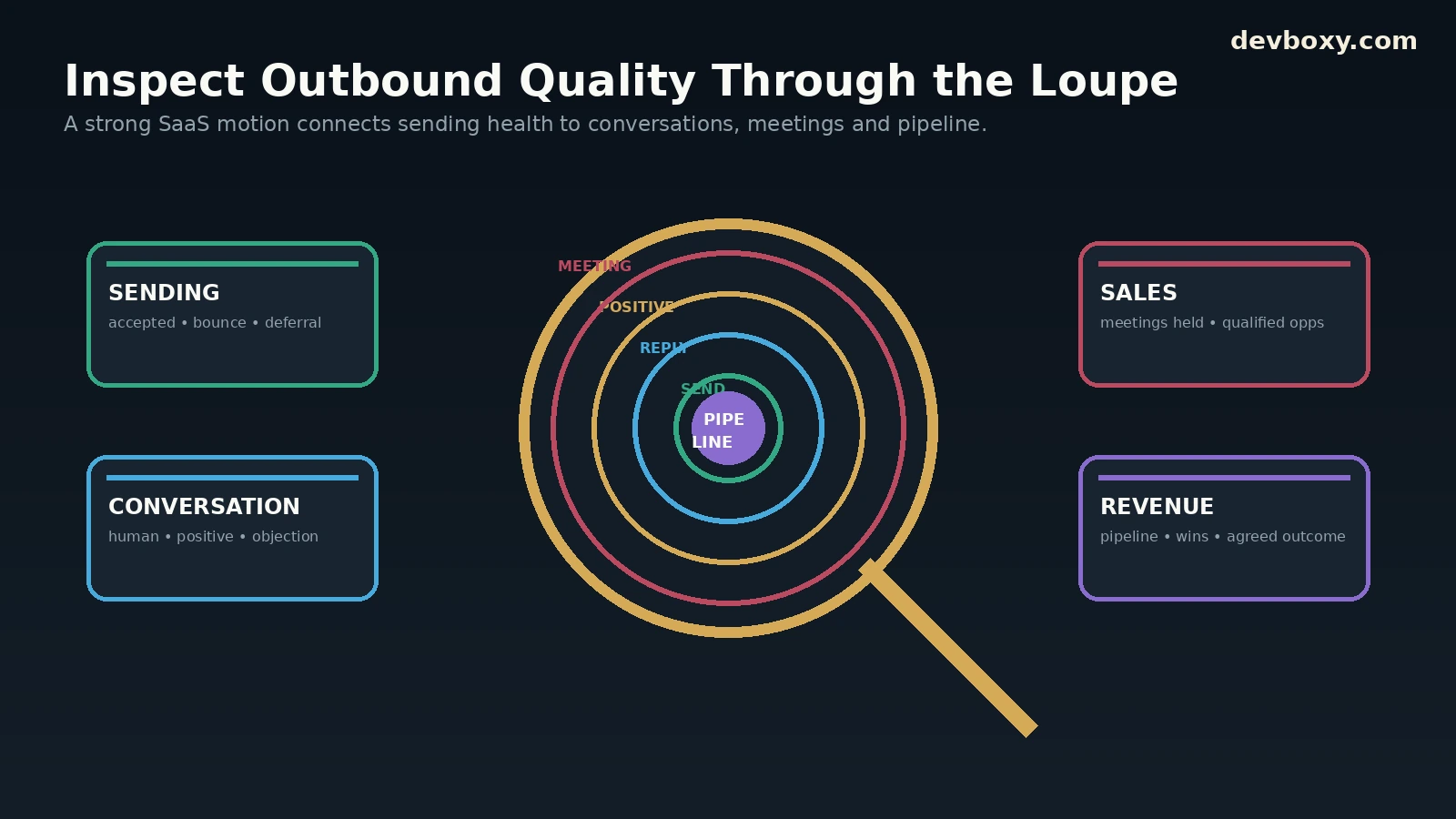
A useful weekly scorecard keeps technical, conversation, and business metrics separate.
Layer | Metric | What it tells you |
|---|---|---|
Eligibility | Accounts and contacts approved for the campaign | How much of the market actually fits the ICP and policy |
Sending | Accepted sends, hard bounces, temporary deferrals | Whether infrastructure and list quality are healthy |
Conversation | Human replies and positive replies | Whether the audience and message create real engagement |
Sales | Meetings held and qualified opportunities | Whether responses convert into a useful sales process |
Revenue | Pipeline created, won revenue, or another agreed outcome | Whether the outbound motion contributes to the business |
Use the broader cold email metrics guide for definitions and the weekly performance review for the review process.
Do not let open rate run the program
Open tracking can be affected by privacy protection, proxies, security scanning, and client behavior. Use opens as a diagnostic clue when useful, not as the primary success metric. Replies, meetings, accepted opportunities, and pipeline are closer to the business decision the campaign exists to create.
Test One Variable at a Time
SaaS teams often change the ICP, subject line, first sentence, proof, CTA, and follow-up cadence at the same time. When results improve, nobody knows why.
Run cleaner tests:
change one meaningful variable;
keep the rest of the sequence comparable;
use the same reply classifications;
show absolute counts beside percentages;
avoid declaring a winner from a handful of replies;
repeat important findings across more than one cohort.
Good SaaS outbound becomes a learning system. The team should be able to explain which account rules, triggers, buyer roles, proof points, and CTAs are becoming more or less useful over time.
Keep Compliance and Opt-Outs Inside the Operating Model
Cold email rules vary by jurisdiction, recipient type, purpose, and data source. Obtain qualified legal guidance for the markets you contact.
In the United States, the FTC’s CAN-SPAM compliance guide explains that the law covers commercial email, including business-to-business messages. Requirements include accurate headers and subject lines, a valid postal address, a clear opt-out mechanism, and honoring opt-out requests within the required period. The FTC also notes that companies remain responsible for vendors sending email on their behalf.
Your internal sequence should stop much faster than the outer legal deadline. Once a recipient opts out, preserve the suppression so a later CSV import, campaign clone, or sales-owner change does not reactivate the contact.
How SaaS Sales Teams Can Use DevBoxy
DevBoxy’s current public product pages present a connected workflow for B2B outreach. The homepage lists campaign creation, contact management, email sequences, follow-ups, reply tracking, and deliverability tools. The current pricing page also shows plan-level limits for campaigns, contacts, follow-up steps, scheduled campaigns, SMTP credentials, and sending quotas.
A practical SaaS workflow is:
define the ICP, exclusion rules, buying triggers, and target stakeholders;
build the account and contact list with stable IDs and source evidence;
verify addresses and keep uncertain statuses visible;
connect sender accounts and review DNS, authentication, routing, and health;
write the first email and sequence around distinct decision jobs;
configure follow-ups, stop conditions, and reply ownership;
launch a controlled cohort rather than exposing the full market at once;
review human replies, positive replies, meetings, opportunities, opt-outs, bounces, and sender issues;
change one variable for the next cohort and document what you expect to learn.
Use DevBoxy as the operating layer, not as a substitute for market judgment. The platform can connect verification, senders, campaigns, sequences, replies, and diagnostics. The sales team still owns whether the target account is relevant, the claim is supportable, the proof is credible, and the next step is worth asking for.
Build SaaS Outbound Around Better Decisions
The strongest SaaS outbound programs are not built from more mailboxes or more templates. They are built from better decisions at each stage.
Choose accounts that fit. Find the buyer who actually owns the problem. Use a trigger that changes the message. Match proof to the stakeholder. Let each follow-up add a different facet of the decision. Stop when the prospect responds. Then measure whether the conversation becomes a real opportunity.
That is how cold email becomes part of a repeatable SaaS sales motion instead of a stream of activity that is difficult to explain, diagnose, or scale.
Frequently asked questions
Does cold email work for SaaS sales teams?
Cold email can be useful for SaaS when the team has a clear ICP, identifiable buyers, a credible problem, supportable proof, healthy sender infrastructure, and a reply process. It is much less useful when the market is poorly defined or the product still cannot explain why a specific account should care.
How should a SaaS company define its cold email ICP?
Define the ICP at account, problem, buyer, and timing levels. Include explicit exclusion rules. Industry and company size alone are rarely enough for targeted outbound because they do not show who owns the problem or why the timing is relevant.
What should a SaaS cold email sequence include?
Build a limited sequence in which each step has a different job: establish relevance, clarify the mechanism, add relevant proof, reduce a realistic risk, and route or close the conversation. Do not repeat the same pitch under different wording.
What metrics matter most for SaaS cold email?
Track eligible accounts and contacts, accepted sends, bounces and deferrals, unique human replies, positive replies, meetings held, qualified opportunities, and pipeline or another agreed revenue outcome. Use open data only as a supporting diagnostic signal.
Should SaaS SDRs stop follow-ups after a reply?
The safest default is to stop remaining automated follow-ups when a human reply arrives, then classify the response and assign the right owner. Opt-outs should also create durable suppression so the contact cannot re-enter later campaigns accidentally.
How does DevBoxy support SaaS outbound?
DevBoxy currently presents email verification, contact management, campaign creation, multiple sending accounts, email sequences, automated follow-ups, reply tracking, and deliverability diagnostics. Current quotas depend on the plan, while audience fit, sender safety, compliance, proof quality, and sales ownership remain the team's responsibility.